 PLC Tracker
PLC Tracker
PLC Tracker
Schools provide PLCs in various formats. Here's how to convert them into the spreadsheet format PLC Tracker needs.
Click on any image to see full size
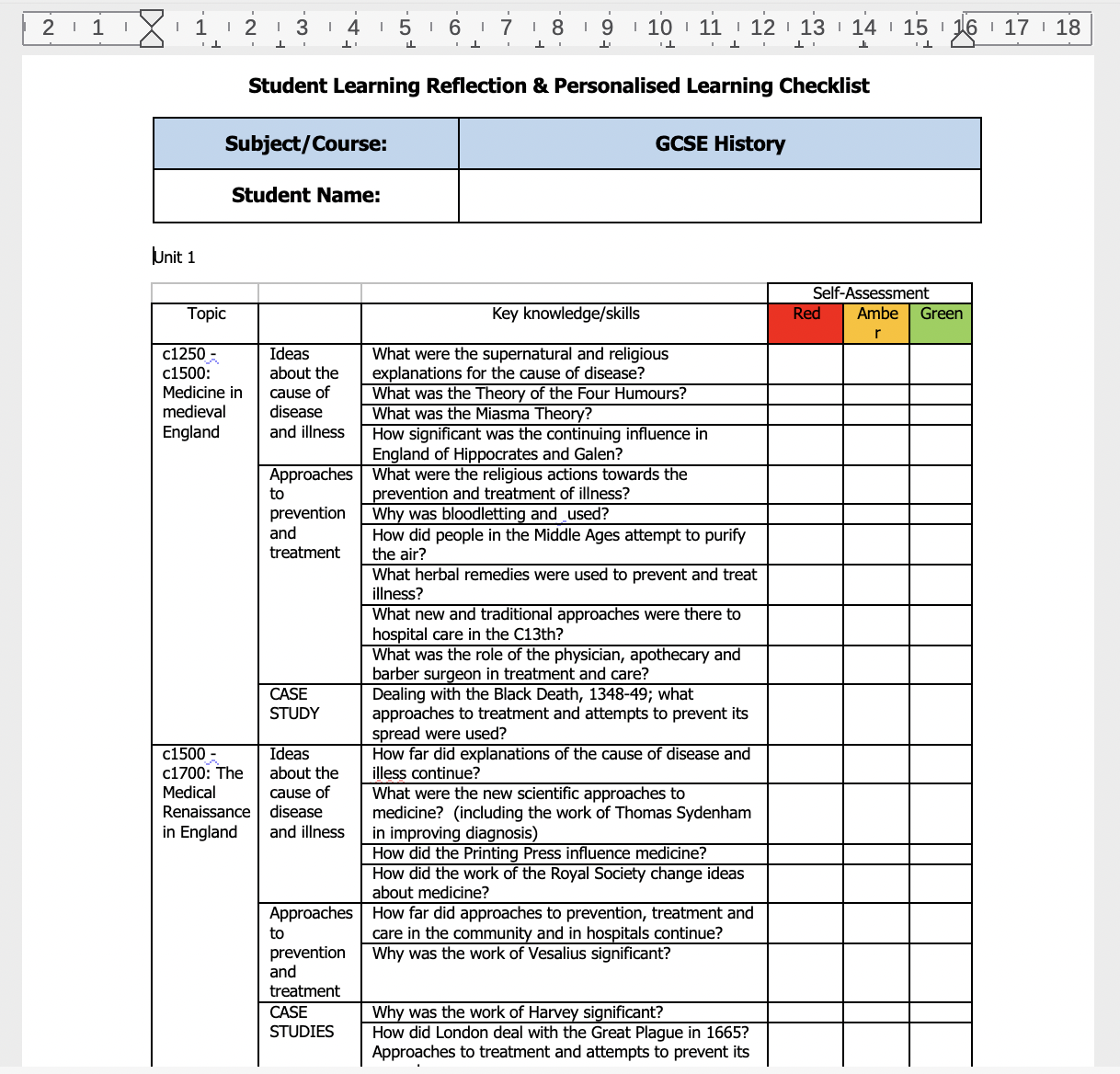
Tables in Word with topics and checkpoints
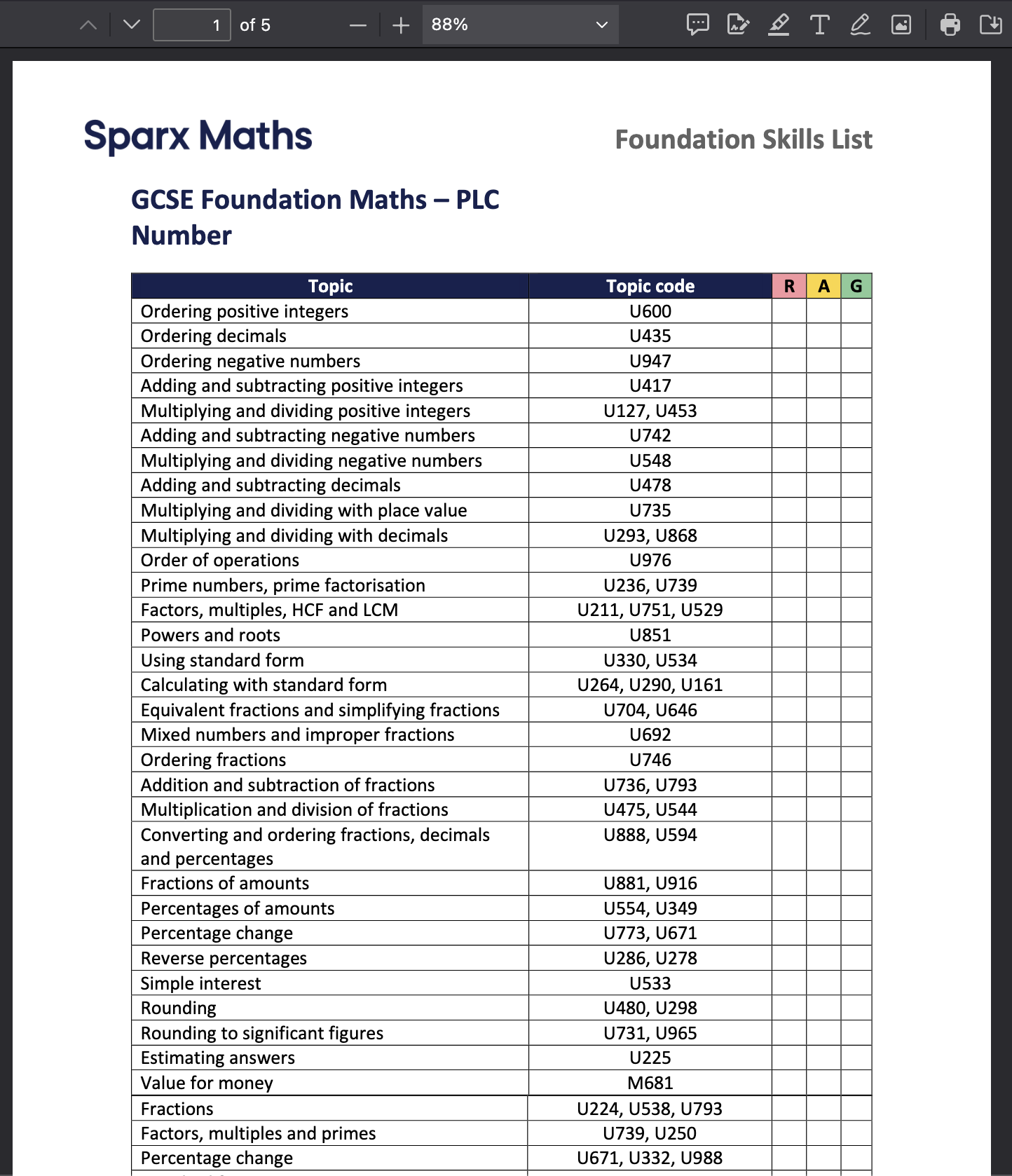
Printed or exported as PDF document
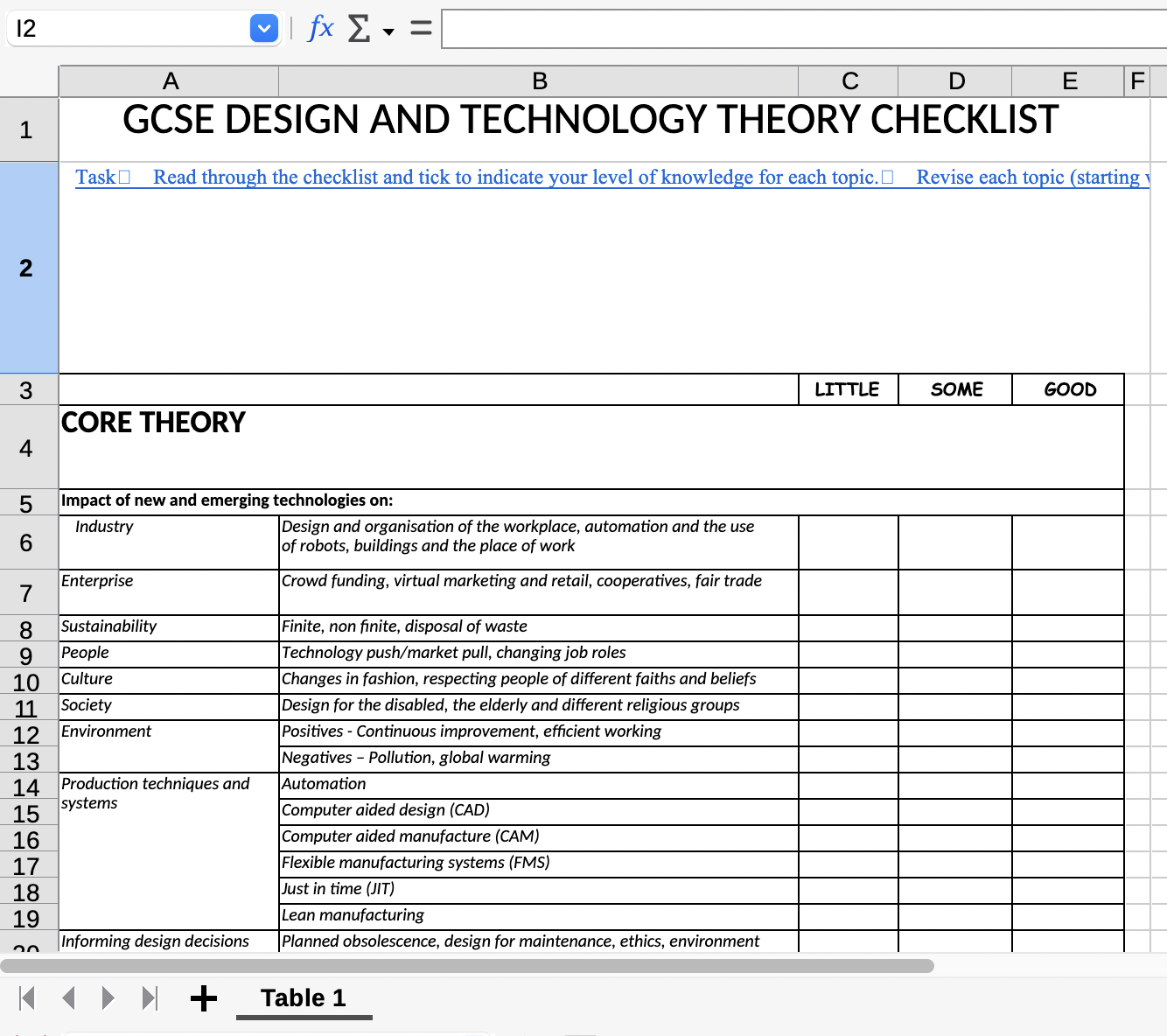
Has the data but not structured correctly
Your spreadsheet needs exactly 3 columns in this order
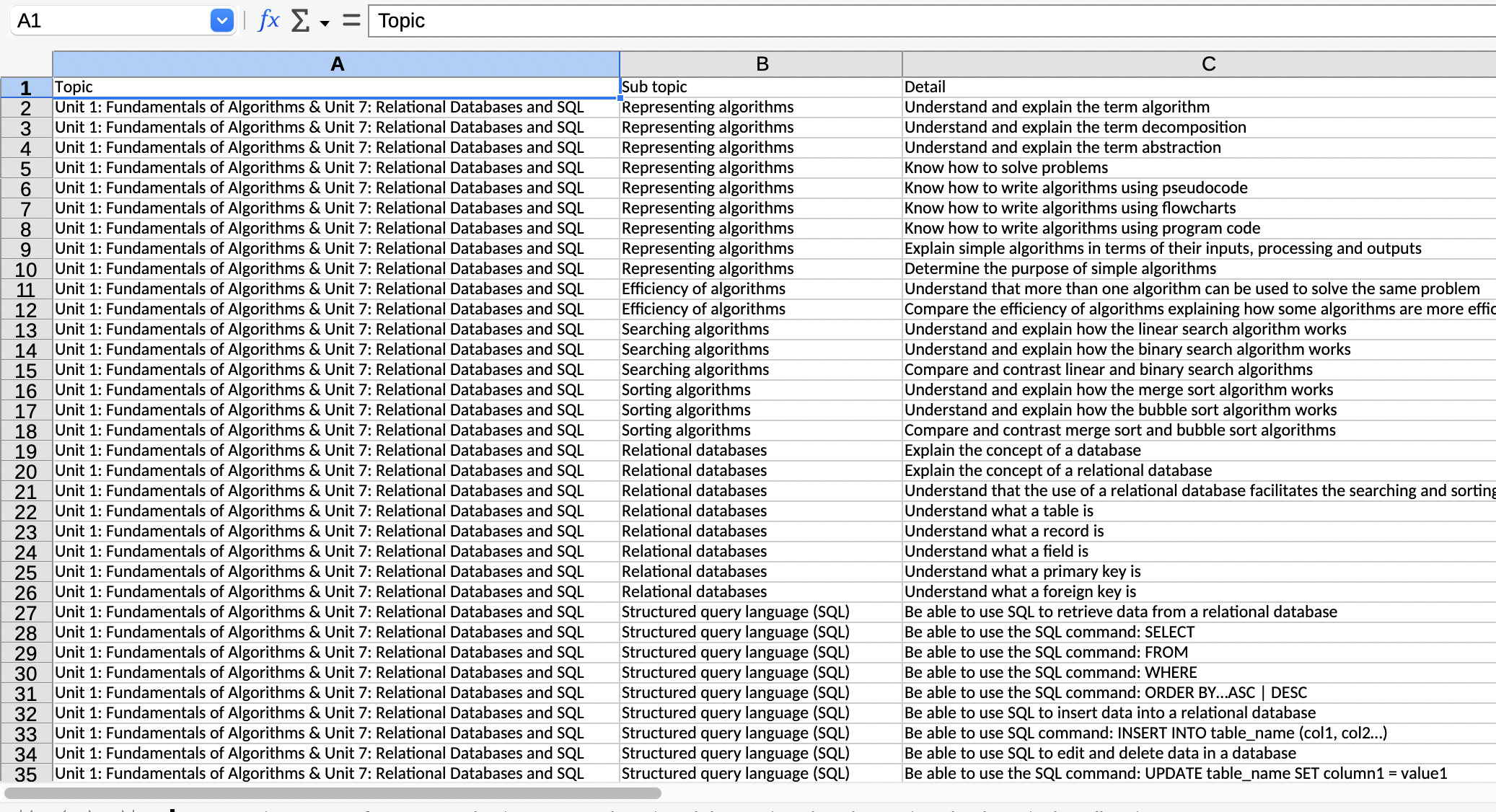
Topic, Sub-Topic, and Item in each row
| Column A: Topic | Column B: Sub-Topic | Column C: Revision Item |
|---|---|---|
| Number | Place Value | Read, write and order numbers to 10 million |
| Number | Place Value | Round numbers to a required degree of accuracy |
| Number | Calculations | Add and subtract whole numbers and decimals |
| Algebra | Expressions | Simplify algebraic expressions by collecting like terms |
Important: Every row must have all three columns filled in. The Topic and Sub-Topic will repeat for each item that belongs to them. This repetition is what allows us to group your items correctly.
If you have multiple subjects to import, you can put each one on a separate sheet in the same Excel file. We'll automatically use the sheet name as the subject name.
Each sheet should have the same 3-column format. When you import, all subjects will be added at once!
Choose the method that works best for your source document
For Word documents and PDFs:
If your school's PLC is already in Excel:
For complex or poorly formatted PLCs:
For PDF documents:
AI tools can convert your documents automatically
Modern AI assistants like ChatGPT, Claude, or Google Gemini can take your PLC document and convert it to our required format. This is often the fastest method for complex documents.
lightbulb Tip: If the AI gives you a table in text format, you can usually copy and paste it directly into Excel/Google Sheets.
Use our ready-made built-in PLCs for common GCSE subjects
These PLCs are included in the app and can be loaded directly from the Import screen.
| Subject | Exam Board | Year | Source School |
|---|---|---|---|
| Biology | AQA | 2026 | Maiden Erlegh, Reading |
| Chemistry | AQA | 2026 | Maiden Erlegh, Reading |
| Computing | AQA | 2026 | Maiden Erlegh, Reading |
| DT (Design Technology) | AQA | 2026 | Maiden Erlegh, Reading |
| Geography | AQA | 2026 | Maiden Erlegh, Reading |
| Maths | AQA | 2026 | Maiden Erlegh, Reading |
| Physics | AQA | 2026 | Maiden Erlegh, Reading |
| iMedia | Cambridge Nationals (OCR) | 2026 | Maiden Erlegh, Reading |
email Have a PLC to share?
If you've converted a PLC to our format, we'd love to include it for other students! Or if you need help converting your school's PLC, just email us the file and we'll convert it for you.
Share your converted PLCs so other students can benefit
If you've converted a PLC for your subject, we'd love to include it in our collection for others to use! Please email us:
Struggling to convert your school's PLC into the right format? We're happy to help! Send us your file and we'll try to convert it for you.
Once your spreadsheet is formatted correctly, importing takes just seconds
upload_file Open PLC Tracker